Wi-Fi Mesh Planner: LiDAR Scan

Good Wi-Fi.
In every room.

Scan your home with LiDAR. See Wi-Fi dead zones in every room and find better spots for your mesh.

Free. No data collected. Currently pending review. Take a closer look
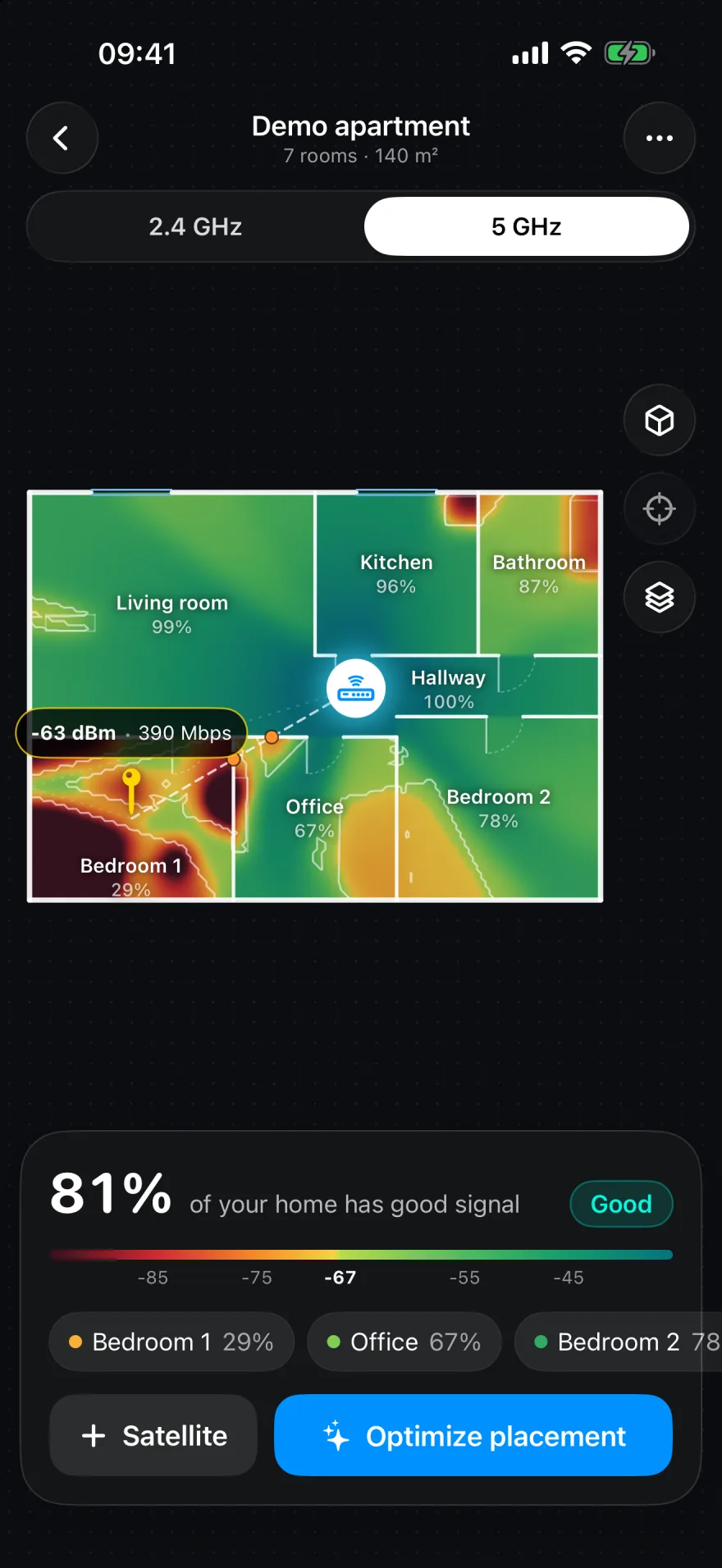
Mesh Planner on iPhone: a room-by-room heatmap highlights strong Wi-Fi in green and a dead zone in Bedroom 1.
A real view of the app. A clearer view of home.
LiDAR room scanningLive Wi-Fi heatmaps2.4 / 5 / 6 GHzPrivate by design

Make the invisible visible

Your walls. Your rooms.
Your whole picture.

A signal bar can only tell you so much. Put your Wi-Fi on the map and see how coverage changes from room to room.

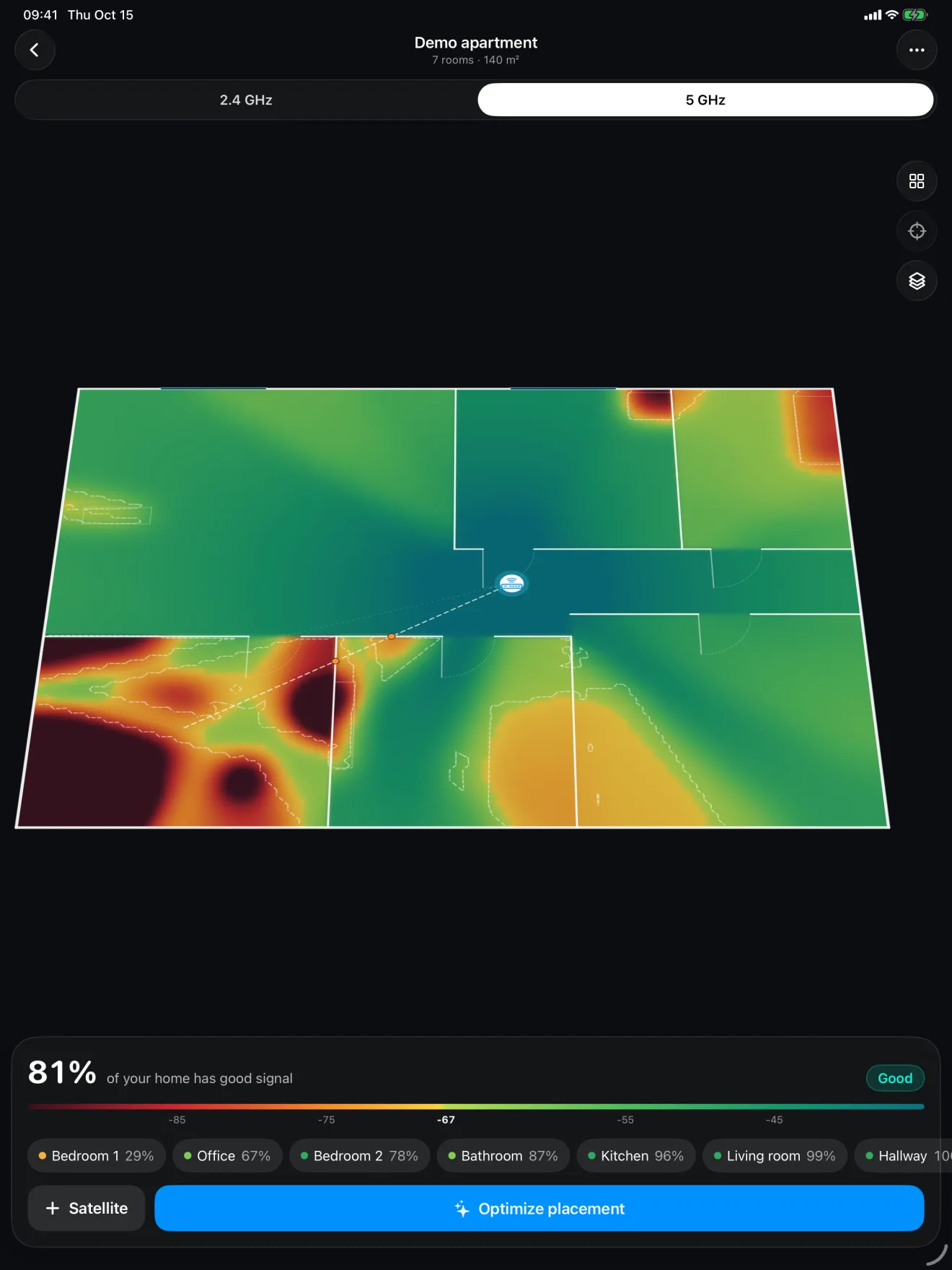
iPad showing a 3D floor plan built from a LiDAR room scan, with Wi-Fi coverage mapped across the apartment.

Walk through.
See it in 3D.

Use LiDAR to scan your rooms, then explore your floor plan in 3D with a live Wi-Fi heatmap.

Made for iPhone and iPad.Explore on iPhone or take a closer look on iPad. LiDAR scanning requires a compatible device.
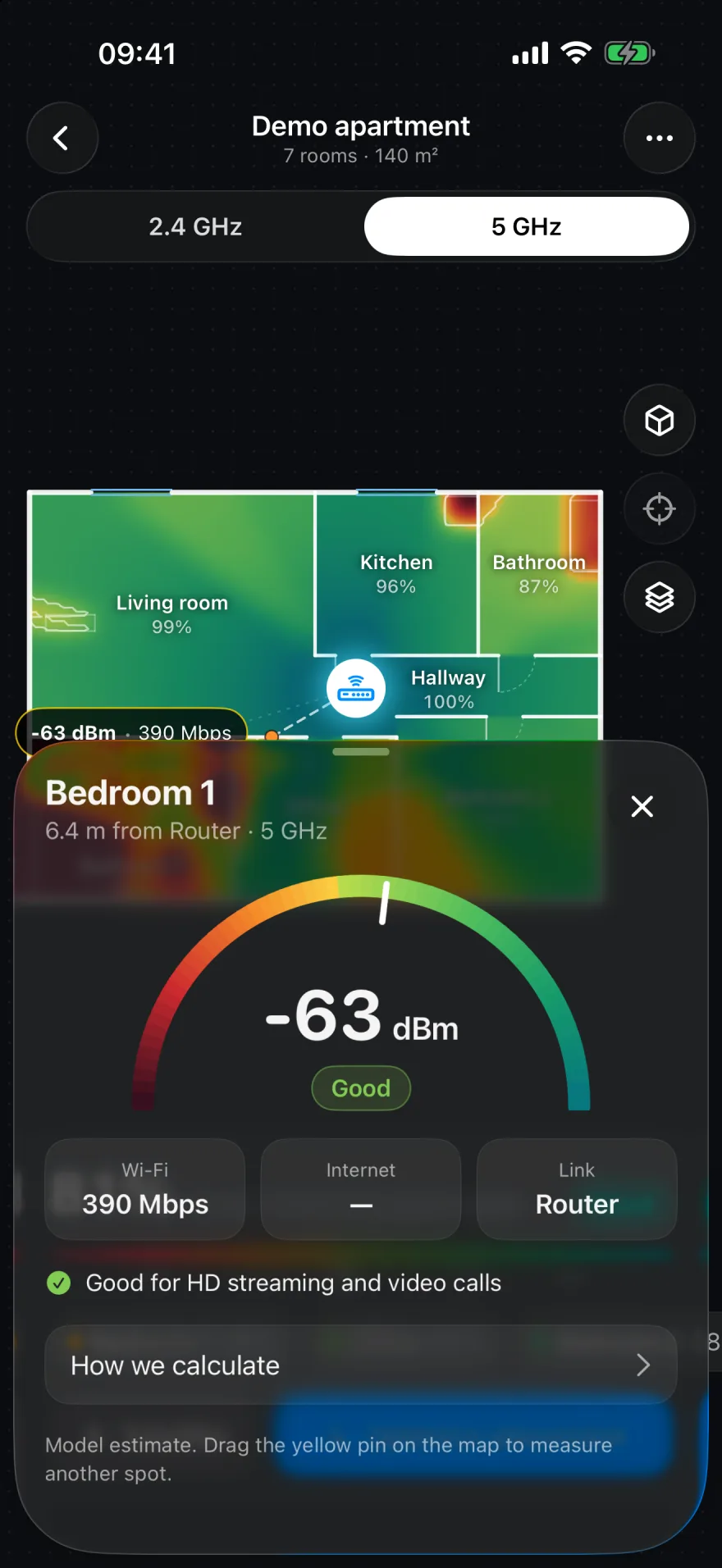
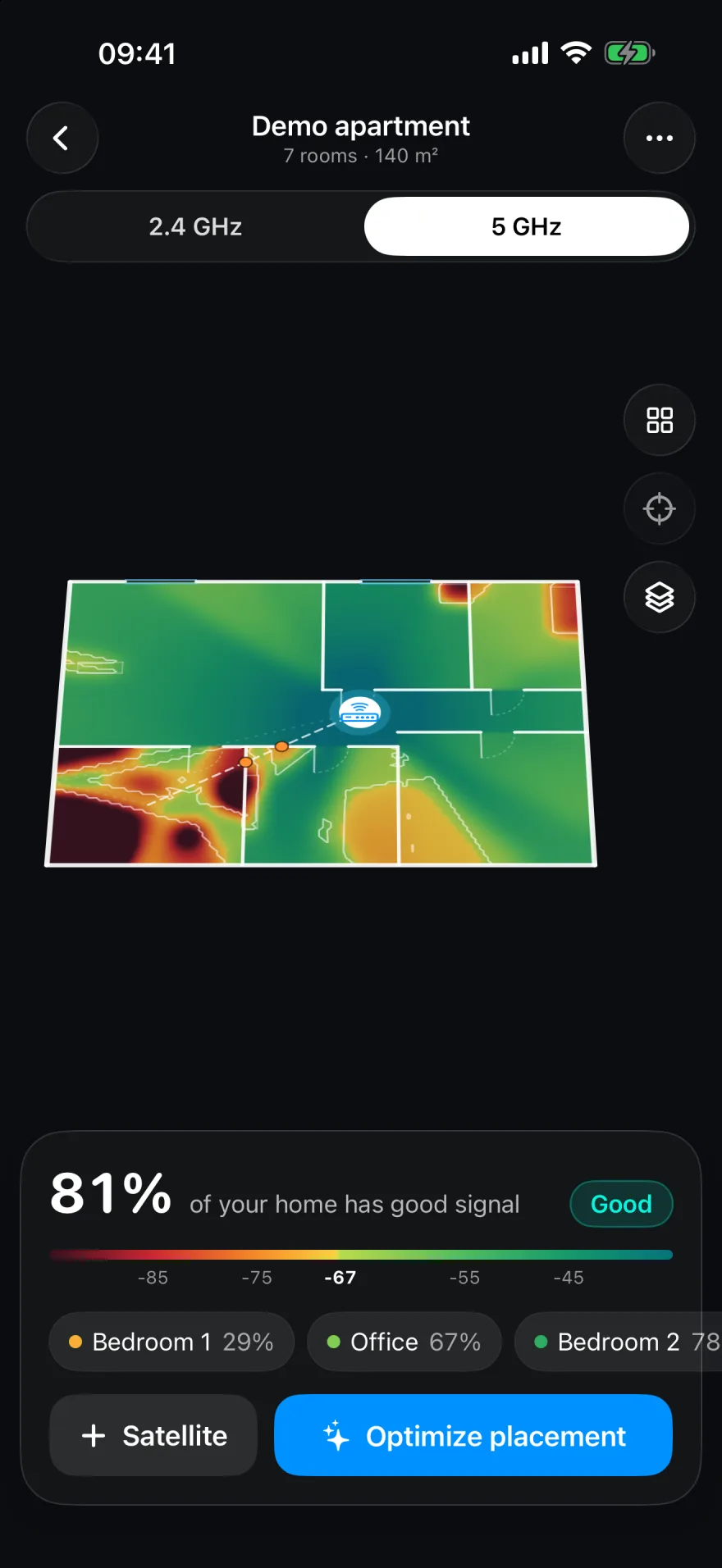
Go beyond the signal bars.

Find the dead zones. Inspect the signal in each room and compare coverage across Wi-Fi bands.

2.4 GHz5 GHz6 GHz
Signal inspector showing the signal strength and estimated speed at a selected point on the floor plan.A perspective view of the home's Wi-Fi heatmap on iPhone.

The right spot changes things.

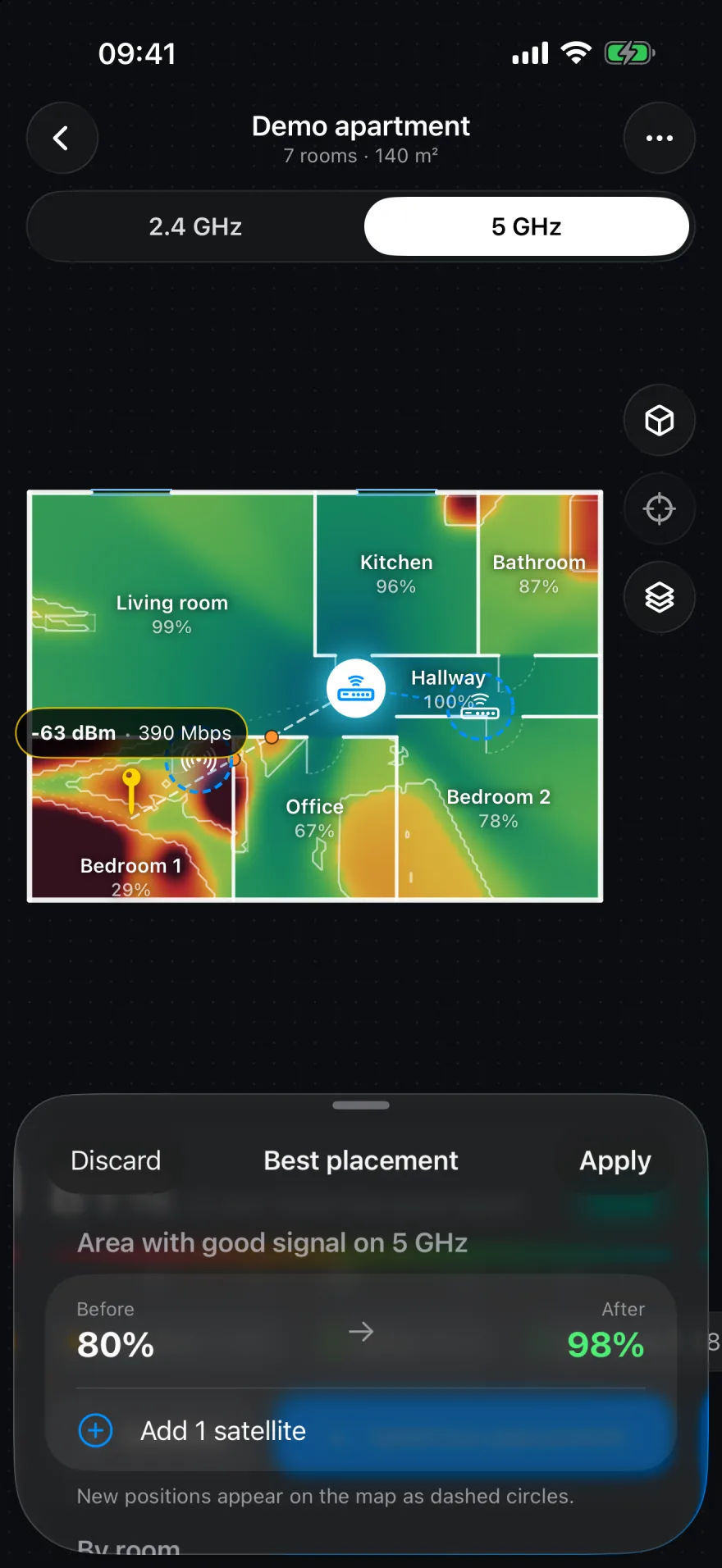
Place your router and mesh satellites on the map. Use the placement optimizer to find better positions for your setup.

Questions about the app
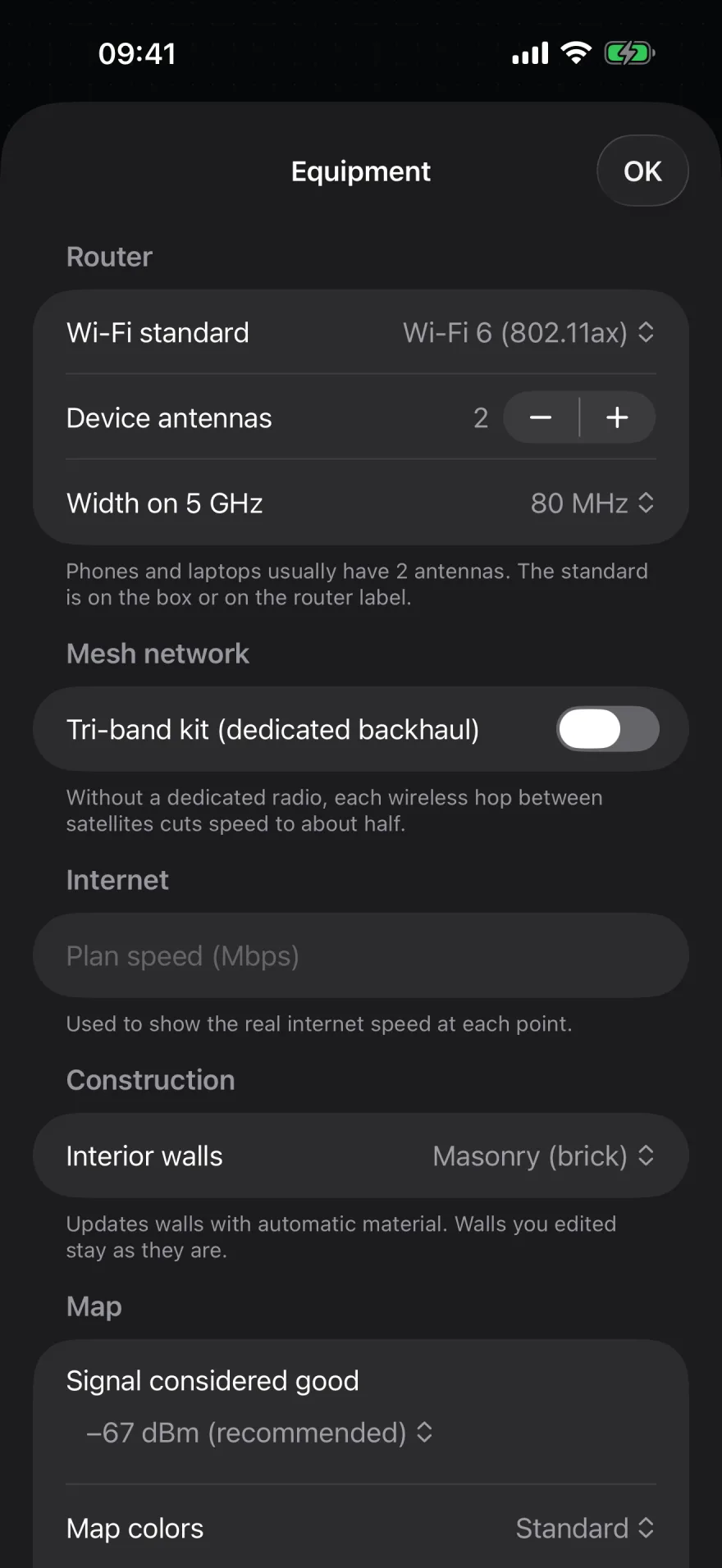
Placement optimizer comparing coverage before and after moving a mesh satellite in a demo apartment.Mesh Planner equipment view for configuring the router and mesh satellites.

Your home stays yours

A floor plan.
Not a footprint.

No accounts. No analytics. No advertising. Your scans, floor plans and measurements stay on your device unless you choose to export or share them.

Read the privacy policy

Know your home.
Plan your signal.